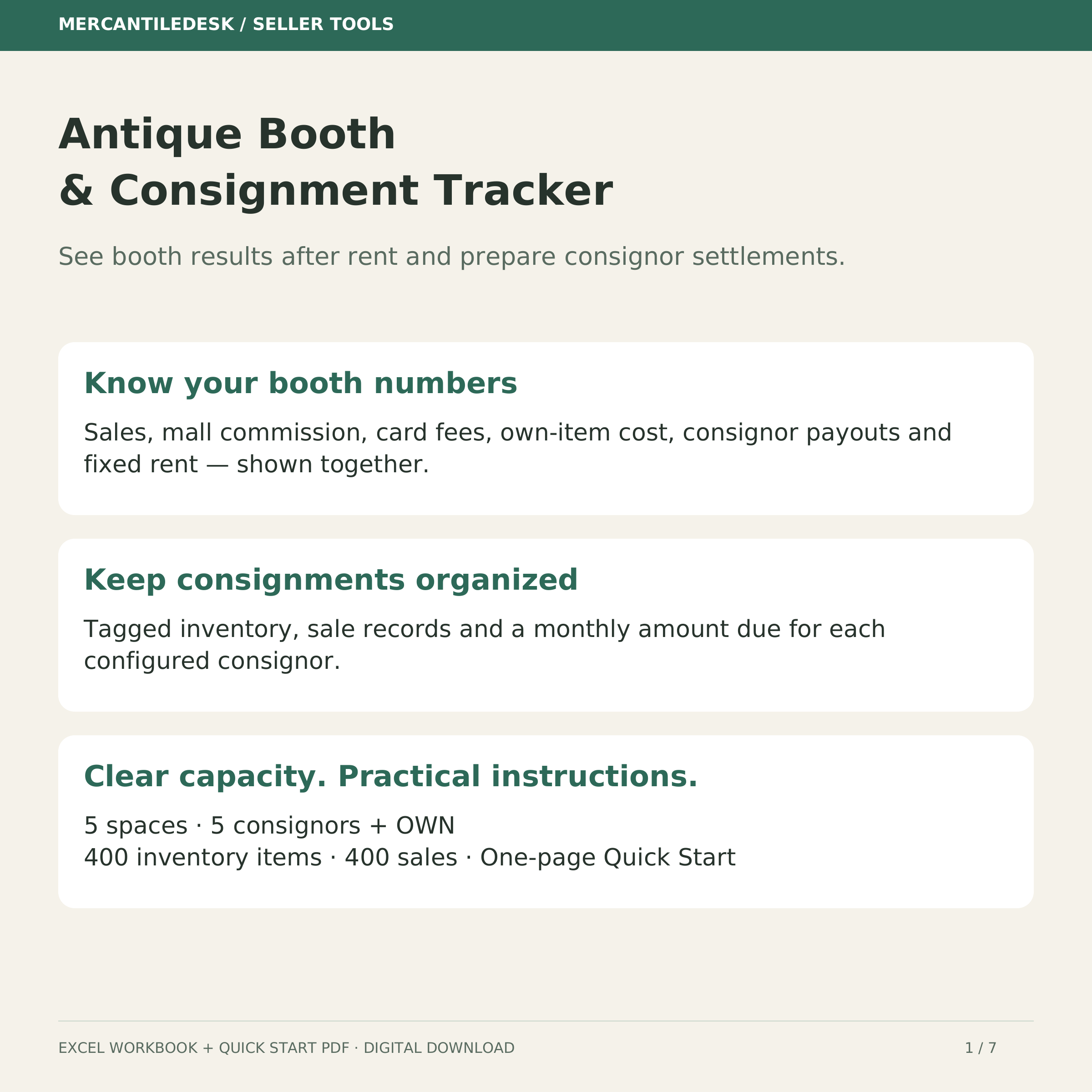
Antique Mall Booth & Consignment Tracker
Review booth results after rent and fees, and prepare monthly consignor settlements.
You’ll continue to Payhip to confirm the current price, full product details and payment. Digital files are delivered through Payhip after purchase. No physical item ships.
What you receive
Is your booth paying for itself, and what do you owe each consignor this month? Track booth results after fixed rent, mall commission, card fees, own-item cost and consignor payouts, then prepare a monthly consignor settlement. Excel .xlsx workbook plus a one-page Quick Start PDF. Instant digital download; nothing ships. WHAT'S INSIDE • Settings: configure up to 5 spaces with monthly rent, commission and card-fee percentages, and 5 consignors plus OWN. • Inventory: 400 tagged items, owned or consigned. Active item age uses today; Sold age uses its sale date; Pulled items show Pulled. • Sales: 400 sale rows. Enter date, tag, sale price, discount as a currency amount, and Cash or Card. Calculations show fees, consignor payout, own-item cost and item profit before rent and other business expenses. • Booth P&L: choose a space and year to review monthly results after fixed rent and an estimated Mall check (pre-rent). • Consignor Statement: choose a consignor and YYYY-MM month for the amount due and a printable statement block. • START HERE and the Quick Start: setup, safe example removal, warnings, printing and backup recovery. HOW TO USE IT Type in yellow input cells. Clear only the example input ranges identified in the guide; preserve formula cells and do not clear entire rows. Use one unique tag per physical item and record each tag once. Mark Inventory status Sold yourself after entering a sale. Read CHECK messages and correct invalid inputs before using totals or paying settlements. CAPACITY AND THE FEE MODEL 5 spaces, 5 consignors plus OWN, 400 inventory items and 400 sales, rows 6–405. Copying extra rows does not extend the supported lookup or summary ranges. Consignor splits apply to discounted sales BEFORE mall fees; your agreement must use that basis. Card fees apply to Card sales. Calculations use the entered percentage terms and may include fractional cents. Actual mall fee bases and cent rounding can differ. The Mall check column is a comparison estimate before rent; subtract rent if your mall withholds it from the check. Fixed monthly rent is charged in all 12 months. For a part-year tenancy, review the active months; the annual total still includes 12 months of rent. Other business expenses are excluded. This workbook does not calculate sales tax or prepare a tax return. Confirm who collects and remits sales tax and enter prices excluding buyer sales tax. COMPATIBILITY AND DELIVERY Open the .xlsx in Microsoft Excel. For Google Sheets, use File > Import > Upload, then review formulas, dropdowns and layout before real use. Keep an untouched backup. No macros, subscription or automatic sync with your mall. You receive two version-matched files: MercantileDesk-Booth-Consignment-Tracker-v2026-10-04-b3.xlsx MercantileDesk-Booth-Consignment-Quick-Start-v2026-10-04-b3.pdf Created by MercantileDesk / LintHead Restorations with AI-assisted engineering. Worked examples are illustrative. Questions about setup? Message the shop. antique booth tracker spreadsheet, antique mall vendor inventory, booth rent profit tracker, consignment split calculator, consignor settlement statement, vintage booth seller excel google sheets You will get the following files: * XLSX (196KB) * PDF (72KB)
Source checked 2026-10-15. Full details on Payhip ↗